
iPhone Screen Time usually stops working for one of a handful of reasons: your child knows the Screen Time passcode, the Ignore Limit button isn't protected, Block at Downtime is switched off, the clock can be changed, or apps sit on the Always Allowed list. If the limits work but your child's usage never shows up on your phone, that is a reporting problem with its own fix (number 11).
You carefully set up Screen Time, added app limits, scheduled downtime — and yet your child is still on their phone well past the cutoff. You're not alone: Apple's Screen Time is powerful, but it has well-known weak points. Here is each one, and exactly how to fix it.
1Your Child Knows the Passcode
This is the number one reason limits don't stick. If your Screen Time passcode is the same as the phone's unlock code — or something easy to guess like a birthday — your child can simply enter it and disable everything.
Fix
Set a dedicated Screen Time passcode that is different from the unlock code and that your child does not know.
2The "Ignore Limit" Button
By default, when an app limit is reached, iOS shows an "Ask for More Time" or "Ignore Limit" option — and without a passcode protecting it, kids just tap "Ignore Limit" and keep going.
Fix
Make sure a Screen Time passcode is set, which forces a code entry before any limit can be ignored or extended. If limits still get ignored, see iPhone App Limits not working; if your child's requests for more time never reach you, see Ask for More Time not working.
3Settings Aren't Locked
If you never set a Screen Time passcode at all, your child can walk into Settings and turn Screen Time off entirely.
Fix
In Settings > Screen Time, scroll down and tap "Lock Screen Time Settings," then set a passcode. This is the step most parents skip. If you are starting from scratch, follow our complete iPhone parental controls setup guide.
4Changing the Clock Bypasses Limits
A classic kid workaround: if the device's date and time are set manually, a child can change the clock to trick downtime and limits.
Fix
Go to Settings > General > Date & Time and turn on "Set Automatically," then lock changes through Content & Privacy Restrictions so it can't be altered.
5Deleting and Reinstalling Apps
For some apps, deleting and reinstalling can reset accumulated usage or sidestep a limit.
Fix
Under Content & Privacy Restrictions > iTunes & App Store Purchases, set "Deleting Apps" and "Installing Apps" to "Don't Allow" (or require your approval), so apps can't be removed and re-added to dodge limits.
6Downtime Isn't Actually Scheduled
Sometimes the limits look set but aren't active — downtime was toggled on but no schedule was saved, or "Share Across Devices" is causing conflicts between an iPhone and iPad.
Fix
Re-open Screen Time, confirm downtime has real start and end times, and check whether Share Across Devices should be on or off for your setup.
7Family Sharing Isn't Set Up
Managing Screen Time from the child's device alone means they can see and tamper with everything.
Fix
Set up Family Sharing and manage your child's Screen Time remotely from your own iPhone. This keeps the controls — and the passcode — entirely out of their reach.
8Screen Time Is Greyed Out or Missing Entirely
If the Screen Time menu itself is greyed out or options are missing, something above it in the settings hierarchy is overriding it. The usual suspects: a school or employer configuration profile installed on the device, another parental control app holding the Screen Time authorization, or an interrupted iOS update.
Fix
Check Settings > General > VPN & Device Management for profiles you do not recognize, restart the phone, and install any pending iOS update. If a school manages the device, some Screen Time options will stay locked — that is by design, and the school's profile wins.
9Limits Don't Sync Between iPhone and iPad
A child who runs out of time on the iPhone and simply picks up the iPad has found a gap, not a bug — unless the devices are set to share one budget. The Share Across Devices toggle makes all devices signed into the same Apple Account count against the same limits, and it silently fails when one device is signed into a different account or running an old iOS version.
Fix
On each device, confirm the same Apple Account under Settings, turn Share Across Devices off and back on, and update both devices. If usage numbers look inflated rather than missing, this same toggle is usually the cause — two devices reporting into one total.
10Downtime Comes On But Apps Still Open
Downtime has a setting that decides whether it enforces or merely nags. If Block at Downtime is off, apps show a reminder at the cutoff — and a child can tap straight through it and keep going.
Fix
Open Screen Time > Downtime and make sure Block at Downtime is switched on. Then check Always Allowed: anything on that list ignores Downtime completely, and Apple's default list is more generous than most parents expect. For every other Downtime failure, see iPhone Downtime not working.
11Your Child's Screen Time Isn't Showing on Your iPhone
Sometimes the limits work but the report on your phone is blank, frozen on an old day, or missing your child entirely. Reports only exist when App & Website Activity is turned on for your child, and they only reach your iPhone when your child is in your Family Sharing group with their own Apple Account — not one they share with you or a sibling.
Fix
On your iPhone, open Settings > Family > [your child's name] > Screen Time and confirm App & Website Activity is on. Check that your child's device is signed in to their own Apple Account, then update every device in the family to the latest iOS — Apple recommends keeping the whole family group up to date so Screen Time settings sync. If the report is still stuck, restart your child's device.
Still Broken? The Reset Ritual
When the settings all look right and Screen Time still misbehaves, it is occasionally just iOS being buggy — usage not recording, limits not firing, reports frozen on an old day. Work through these in order:
- Restart the device. Genuinely fixes a surprising share of stuck Screen Time states.
- Update iOS. Screen Time bugs get patched constantly; an old version means living with bugs Apple already fixed.
- Check the date and time. Settings > General > Date & Time > Set Automatically should be on — a wrong clock breaks daily resets.
- As a last resort, toggle Screen Time off and on. Be warned: this erases your limits, schedules, and usage history, so it means reconfiguring from scratch. Do it only when everything else has failed.
When Built-In Controls Just Aren't Enough
Even perfectly configured, Apple's Screen Time has a fundamental limitation: it only restricts. It can say "no," but it can't motivate your child to earn their time through good behavior, and tech-savvy kids treat bypassing it as a game. Many parents reach a point where they want something more reliable and more positive.
That's where a dedicated tool like Tap Guardian comes in. Instead of relying solely on device-level toggles a child can probe for weaknesses, it links screen time to completed tasks and chores, gives parents a clear dashboard, and works across both iPhone and Android. A common approach is to use iOS restrictions for content filtering and Tap Guardian for dependable day-to-day limits and earning.
See it in Tap Guardian
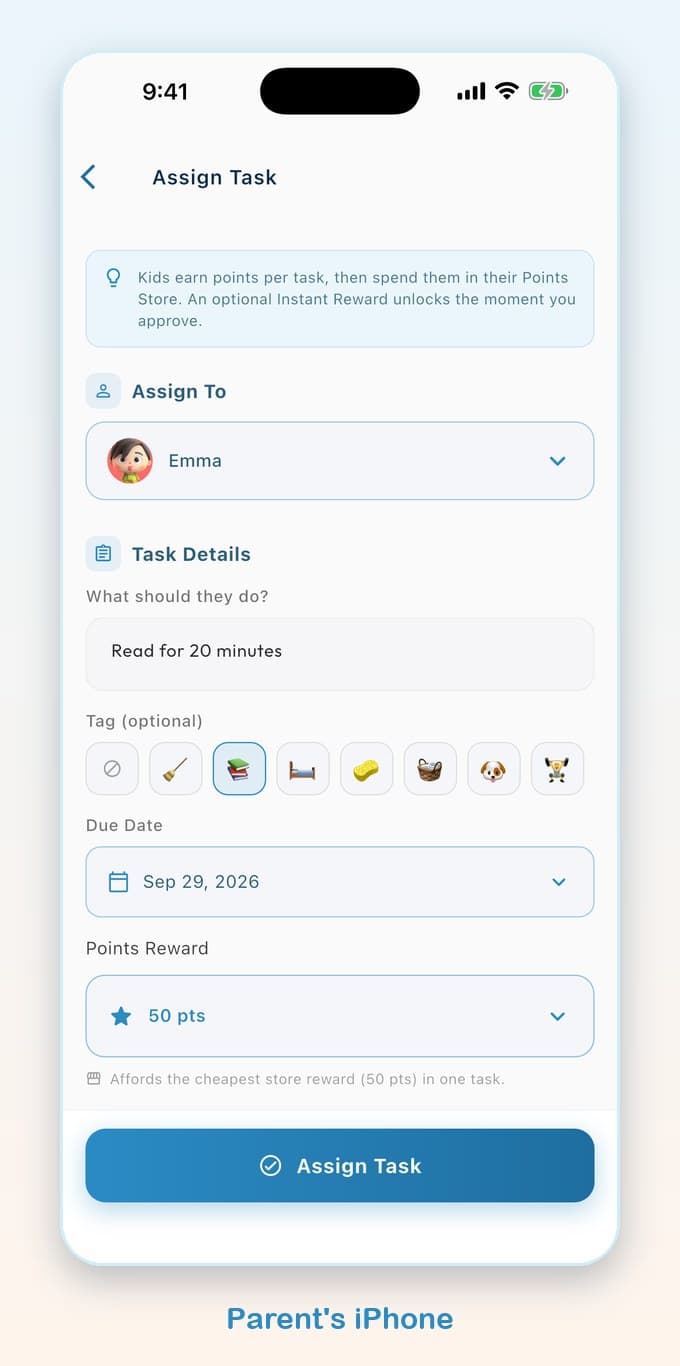
The whole app in one minute
Final Thoughts
Most Screen Time failures come down to a missing passcode, unlocked settings, or a clever workaround. Lock it down properly — separate passcode, locked settings, automatic clock, managed through Family Sharing — and it gets far harder to bypass. And if you're tired of playing cat-and-mouse, a purpose-built tool can take the pressure off for good. For the specific workarounds kids use most, see how kids get around iPhone Screen Time. To understand why earning beats pure restriction, read how reward systems help kids self-regulate. And if the problem is that you cannot get into the settings at all, here is how to reset a forgotten Screen Time passcode.